
We are thrilled to announce the official release of SQL Chart Builder v3.0.0. This major milestone completely transforms the plugin from an engineering-focused database utility into a polished, highly accessible, visual analytical engine for WordPress. Version 3.0.0 re-imagines the developer and user experience from the ground up, shedding technical complexities in favor of an intuitive, no-code interface while packing serious infrastructure upgrades under the hood.
The Evolution: v2.3.8 vs. v3.0.0 at a Glance
The transition from the legacy v2.x architecture to the modern v3.0.0 platform marks an extensive upgrade across usability, database assistance, styling, and core performance.
| Feature Area | Legacy v2.3.8 | Modern v3.0.0 |
| Interface | Single-pane backend with text boxes and mixed configuration instructions. | Clean, tabbed administrative layout (Chart & Data, Filters, Style, Advanced). |
| Query Writing | Manual syntax typing with zero database context or error-checking assistance. | Live SQL autocomplete for schemas and tables alongside a click-to-build query toolbar. |
| Dynamic Inputs | Required memorizing tedious and complex ~ and | parameter strings. | No-code interactive visual row inputs with automatic {tag} matching. |
| Chart Library | Older, rigid drawing structures or deprecated Google Charts components. | Powered entirely by Chart.js v4, integrated locally with zero remote dependencies. |
| Color Styling | Manual hexadecimal input values or randomized color assignments. | Integrated color pickers with a professional preset Tableau 10 palette. |
Key Innovations in v3.0.0
1. Completely Redesigned Administrative Interface
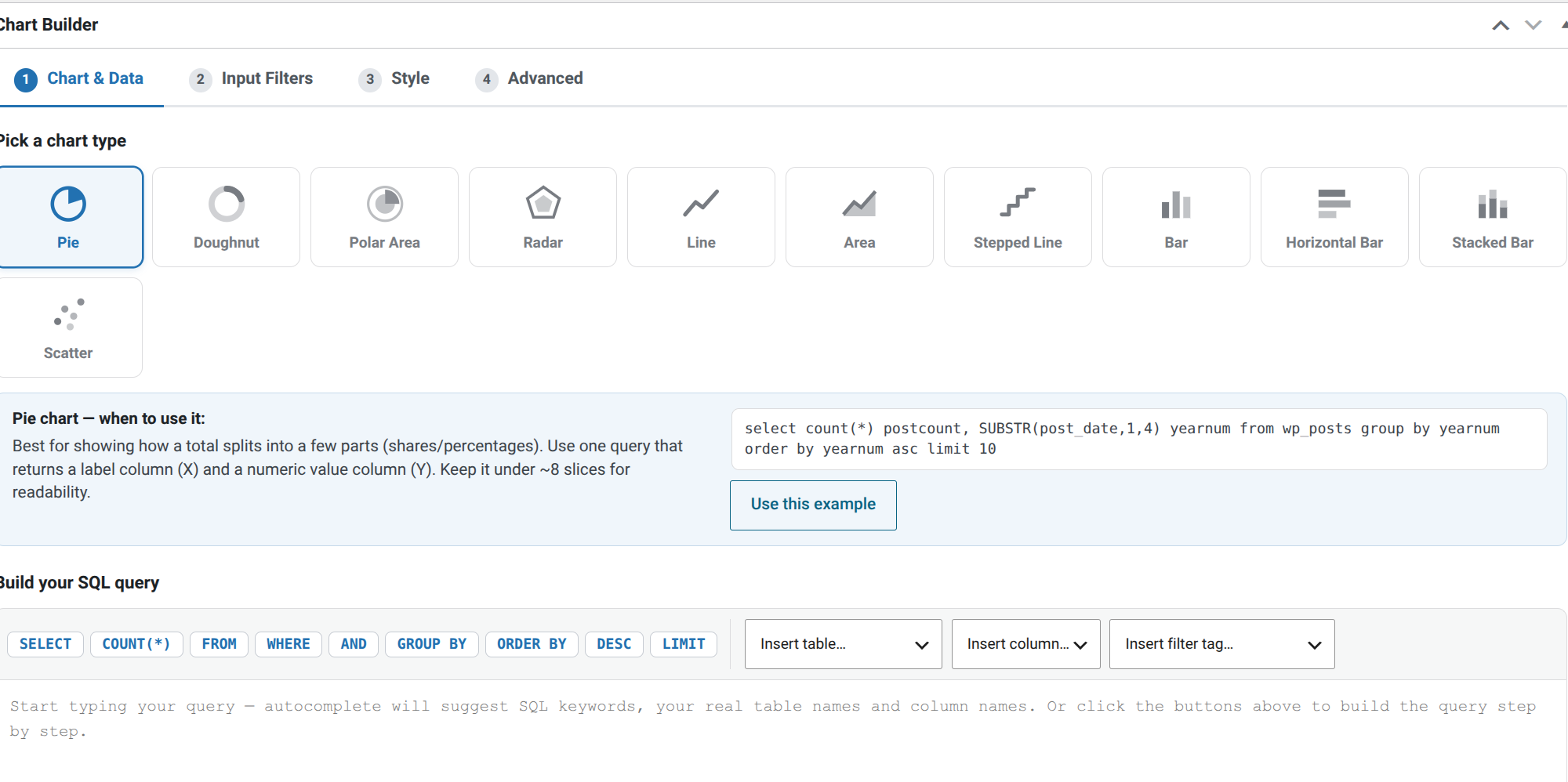
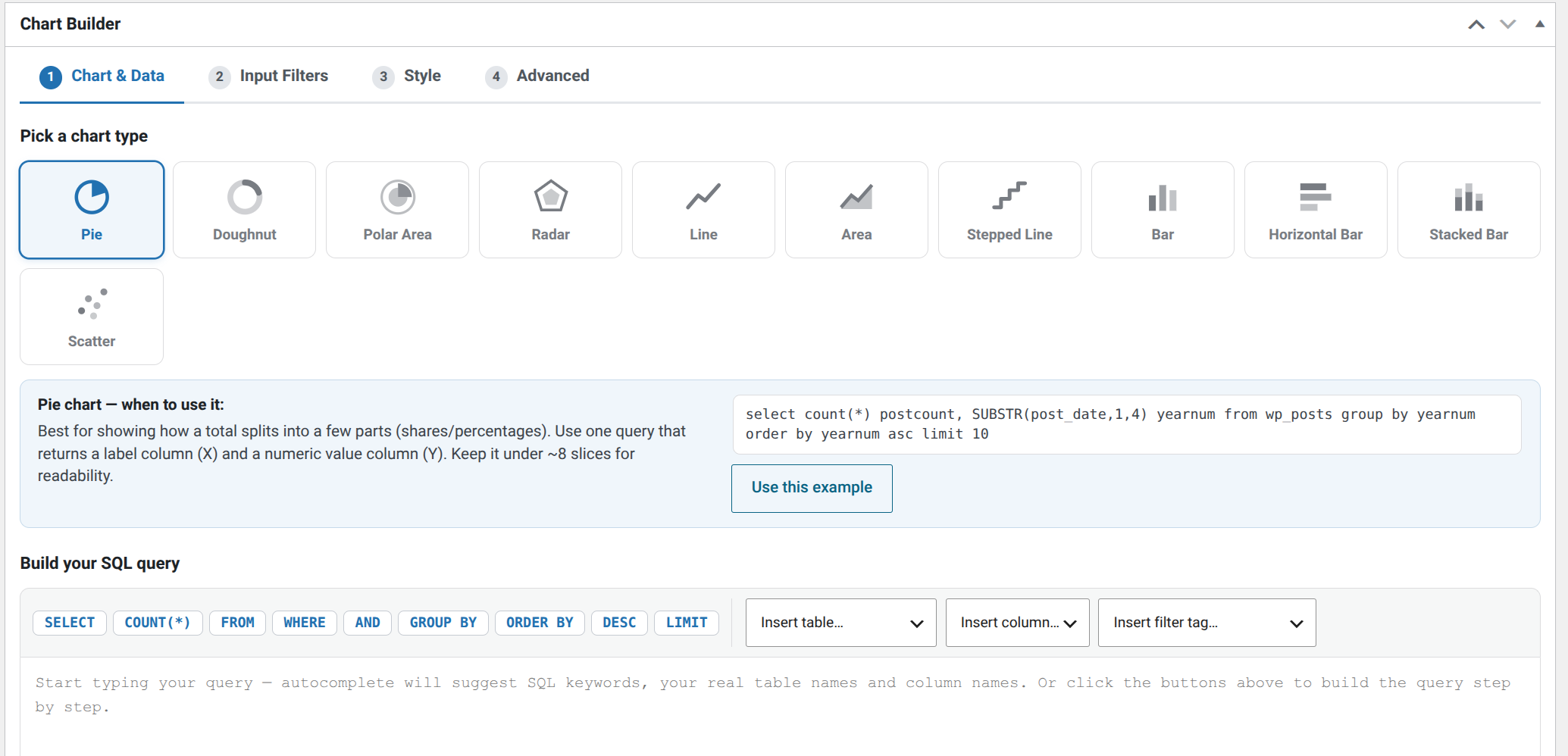
Say goodbye to the old setup page. Version 3.0.0 introduces a logical, beautifully tabbed user interface that guides you sequentially through the creation process. The new visual type picker provides graphical cards for each chart style, accompanied by immediate mini-guides that explain exactly when to deploy specific layout variants and how data columns should be structured.
2. Intelligent Code Assistance (Autocomplete & Toolbar)
Writing SQL within WordPress has never been easier or safer. The update integrates Live SQL Autocomplete. As you type, the editor instantly analyzes your real WordPress environment to suggest standard SQL keywords, explicit table names, and matching columns. Typing a table name followed by a dot (e.g., wp_posts.) immediately populates an overlay of its true database schema. For rapid assembly, a Click-to-Build Query Toolbar puts standard statements like SELECT, COUNT(*), GROUP BY, and schema dropdowns just one click away.
3. Intuitive No-Code Input Filters
In previous iterations, implementing interactive frontend date range or text inputs meant writing brittle string filters like limit_tag~10~Count~number|post_date_tag~.... The visual row manager in v3.0.0 removes this layer of complication entirely. You can now map dropdowns, strings, and automated date-pickers as visual rows. The interface automatically scans your database query, flags existing {tags}, and allows you to map inputs directly onto specific WHERE statements without typing custom syntax.
4. Four Brand-New Chart Variations
The visualization matrix expands from basic lines, areas, and pies up to 11 fully interactive layout types. Version 3.0.0 introduces four robust frameworks:
- Radar Charts: Excellent for mapping multi-variable profiles and cyclical category comparisons.
- Stepped Line Charts: Perfect for tracking data fields changing at discrete intervals, such as stock volumes or pricing shifts.
- Stacked Bar Charts: Ideal for visualizing cumulative category compositions across multiple sub-queries.
- Scatter Plots: Built for statistical correlation analysis mapping two purely numeric variables against X and Y coordinates.
5. Local Privacy-First Core Engine (Chart.js v4)
Performance and absolute privacy compliance run hand-in-hand in this update. The core drawing engine is upgraded to Chart.js v4. Crucially, the entire library is bundled locally inside the plugin architecture. The plugin makes absolutely zero third-party CDN or remote server calls, making the visualization layer entirely GDPR-compliant and safe out of the box.
Performance Optimization: Transient Caching With v3.0.0, you can optimize heavy analytical data tracking. By calling the brand-new caching shortcode variant:
SQL query is missing., you can cache database executions into secure WordPress transients to eliminate layout drag. Developers can force updates instantly by appending&force_sql_cache_reload=1directly to their URL string.
Total Backwards Compatibility
Despite these sweeping core upgrades, upgrading is entirely risk-free. Version 3.0.0 maintains 100% legacy support. Every single chart created via a legacy 2.x interface will continue to render seamlessly without alteration. Any long-deprecated historical Google Chart shorthand calls are recognized internally and seamlessly re-mapped onto equivalent modern rendering layers upon saving. Furthermore, the classic [gvn_schart] legacy shortcode remains functional, routing queries through the optimized modern processing engine.
SQL Chart Builder v3.0.0 is available for immediate download via your WordPress Plugins Dashboard. Upgrade today to unlock elite-level visualization tools!